An editor for long-form writing
Write the whole project. Review it before it goes in.
Longmatter is an editor for writing that has more than one page: handbooks, documentation, books and knowledge bases. Links follow your renames. A page that changes underneath you is never overwritten silently. Every change can be a draft that somebody reads before it goes in.
Start writing See how review works
Free to start. Hosted projects are $8 a month.
What it does
One editor for the pages, the links between them, and the changes to both.
-
Write the whole project
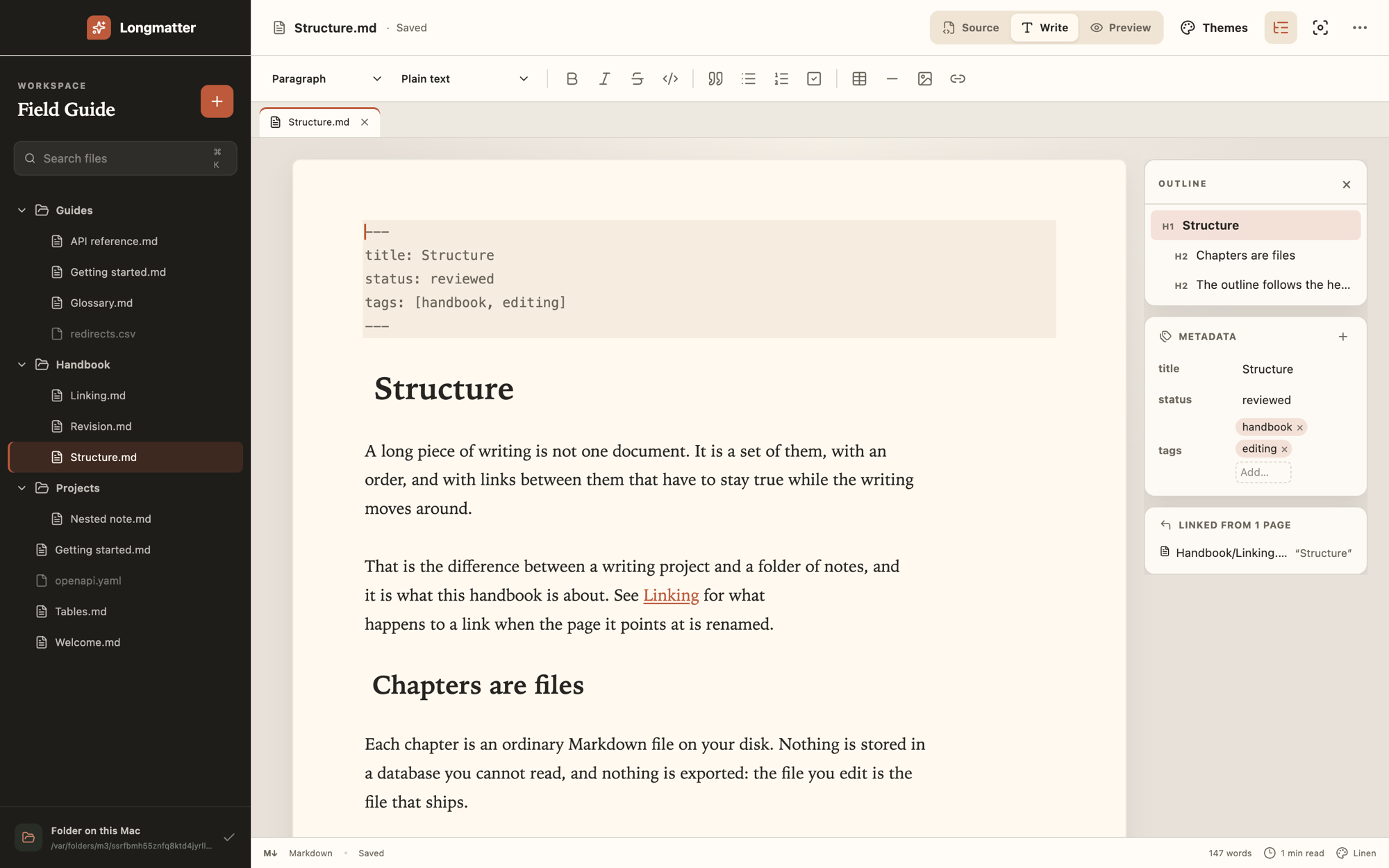
Write mode shows headings, quotes, code and tables in place. Source shows the raw text and Preview shows the rendered page. All three are the same document.
You edit Markdown, and what is saved is exactly the text you typed.
-
Keep it true
Rename or move a page and every link to it is rewritten. You are told how many before you confirm.
A link that points at nothing is underlined where you wrote it.
-
Review before it goes in
A draft is a separate copy of the project to write in. The project stays as it was until the draft is put in.
Ask somebody to read it. They say yes, or not yet.
How review works
Four steps between a change and the project.
Drafts, comparison, review and history are for hosted projects, so the work is in one place that everybody can open.
-
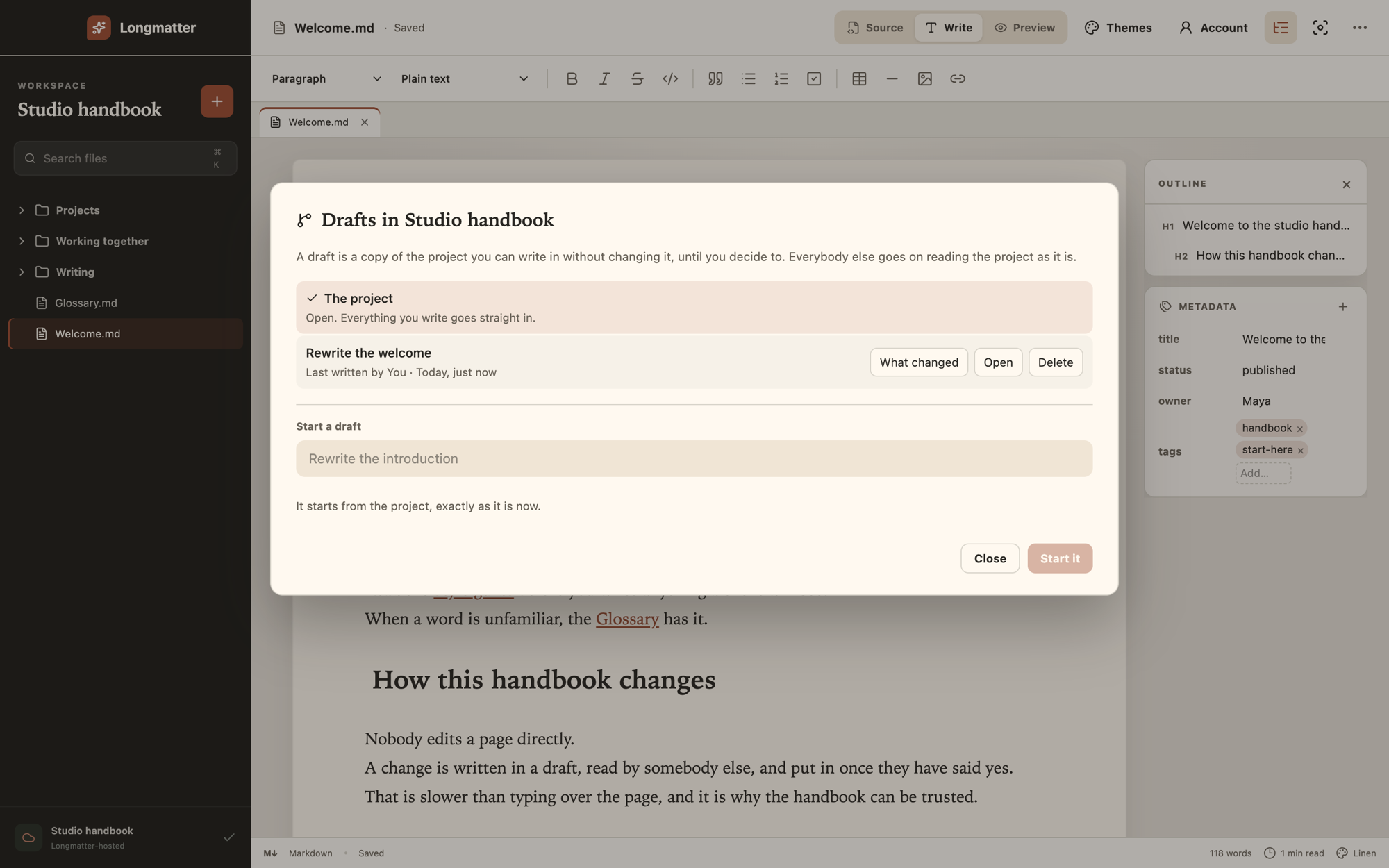
Start a draft
A draft starts from the project exactly as it is now. Write in it as long as you like. Everybody else goes on reading the project as it was.
-
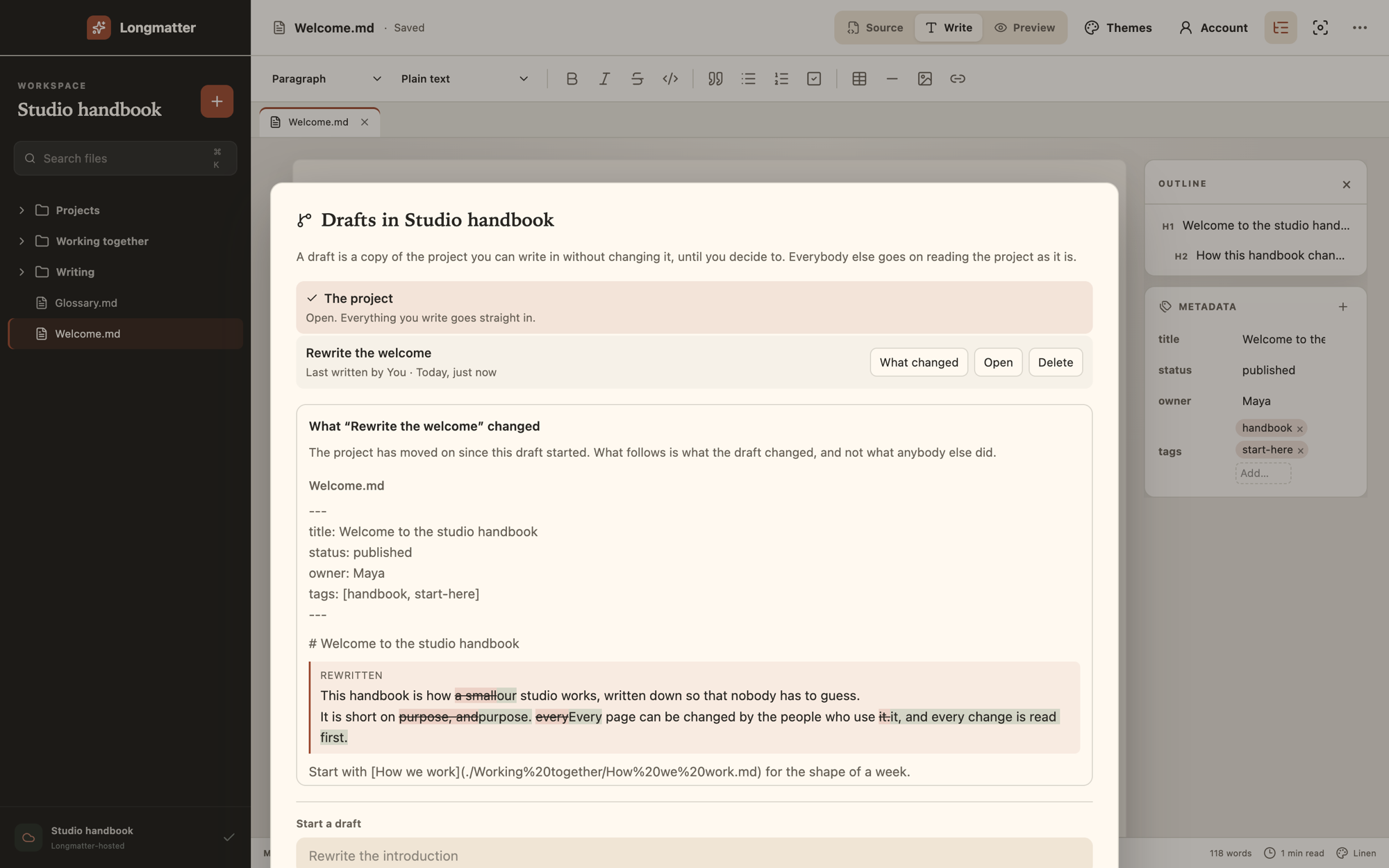
See what changed
Compare the draft with the project by paragraph and by word. Added words are marked, removed words are struck through, and nothing else on the page is touched.
-
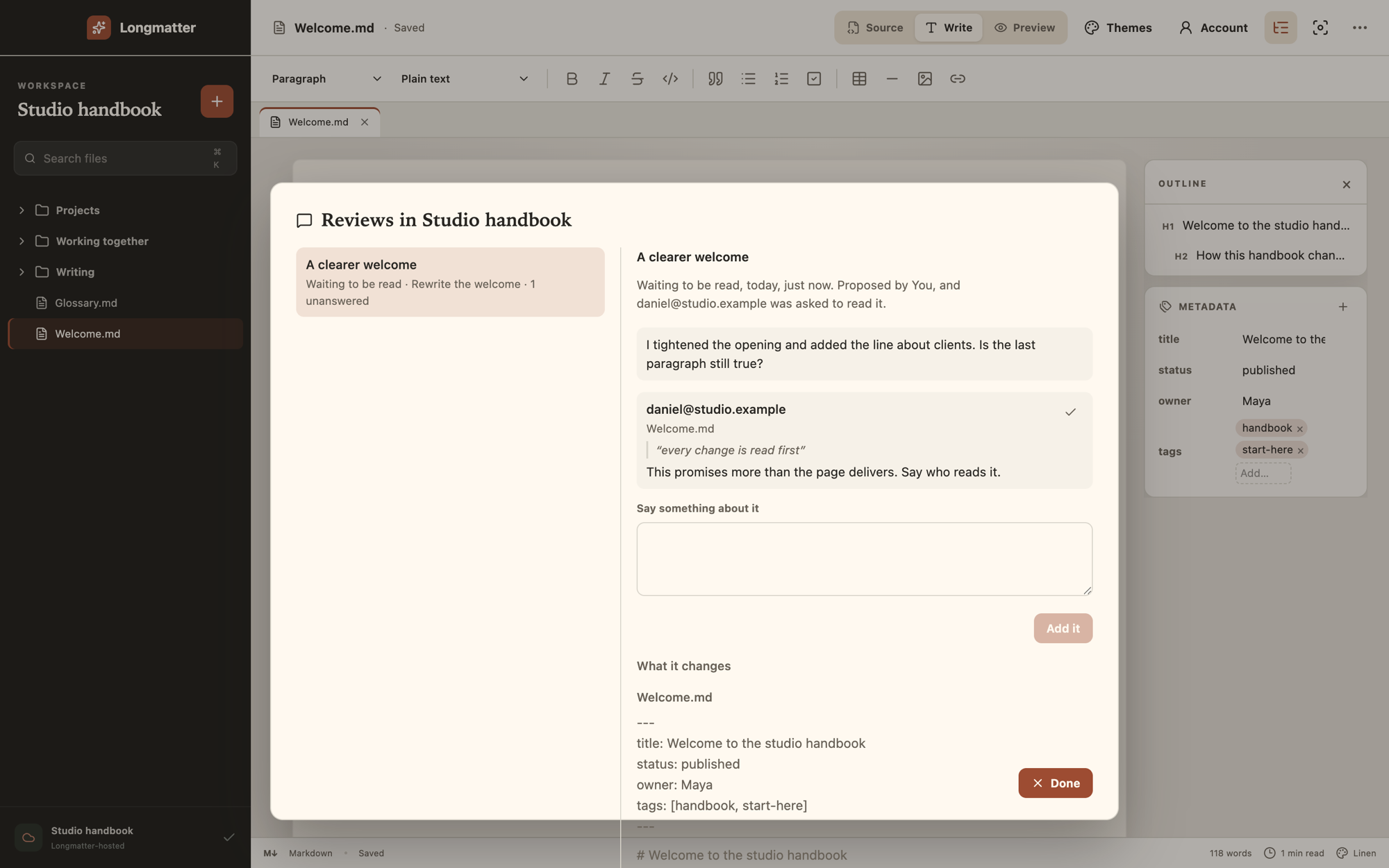
Ask somebody to read it
Say what you want looked at, and ask a person in the project. They read the changes, leave a note on the words it is about, and answer yes, or not yet.
Answering a review takes a seat, which is somebody who can write. Readers can read.
-
Put it in, and keep every version
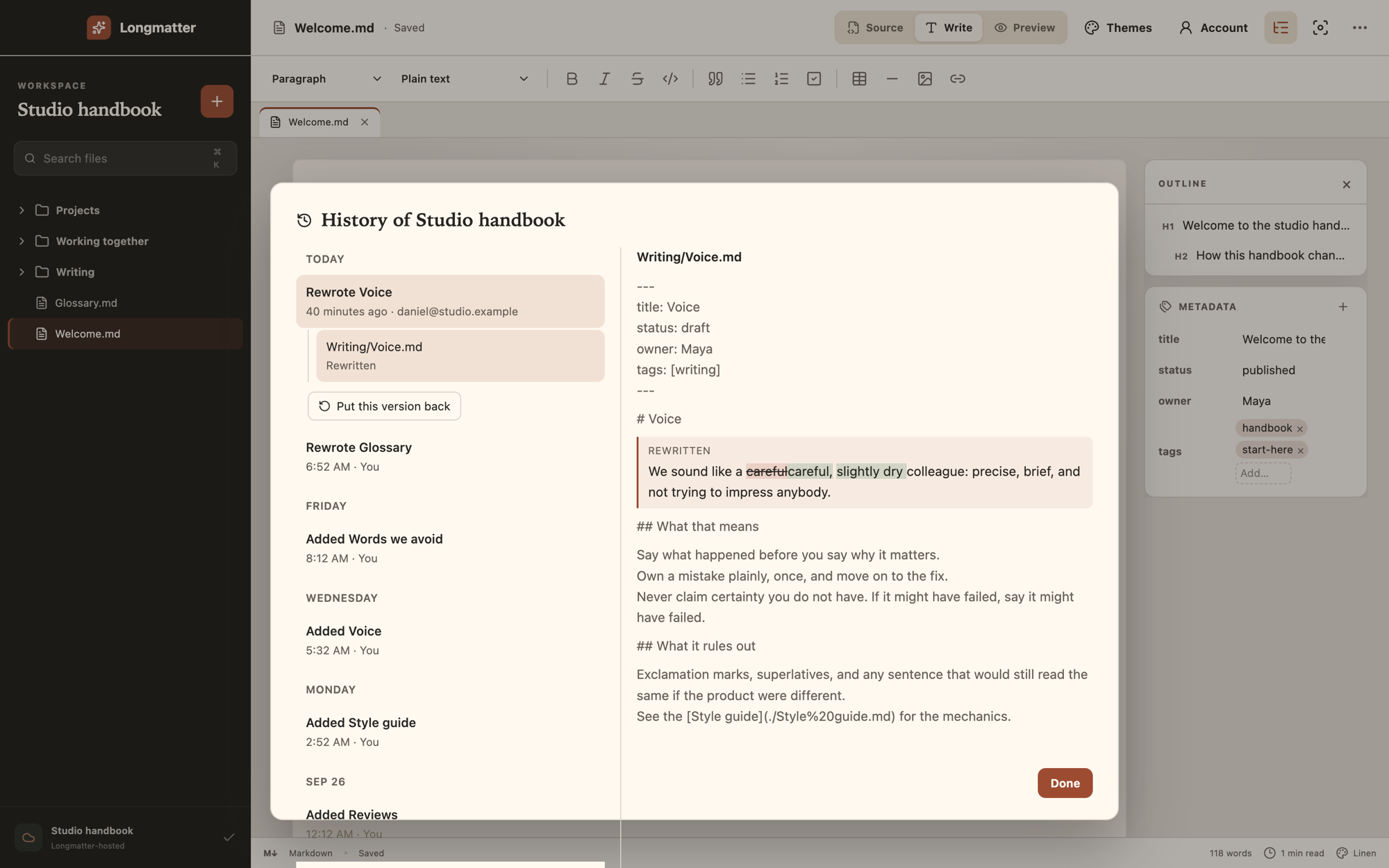
A hosted project keeps every version. You can put an earlier one back, and putting it back is a new version, so nothing is removed.
Keeping it true
A long piece of writing is pages with links between them.
Those links have to stay true while the writing moves around. That is most of what the project view is for.
- Rename or move a page and every link to it is rewritten.
- Backlinks, an outline of the open page, a quick switcher and search across the whole project.
- Search and replace across many files leaves one undo.
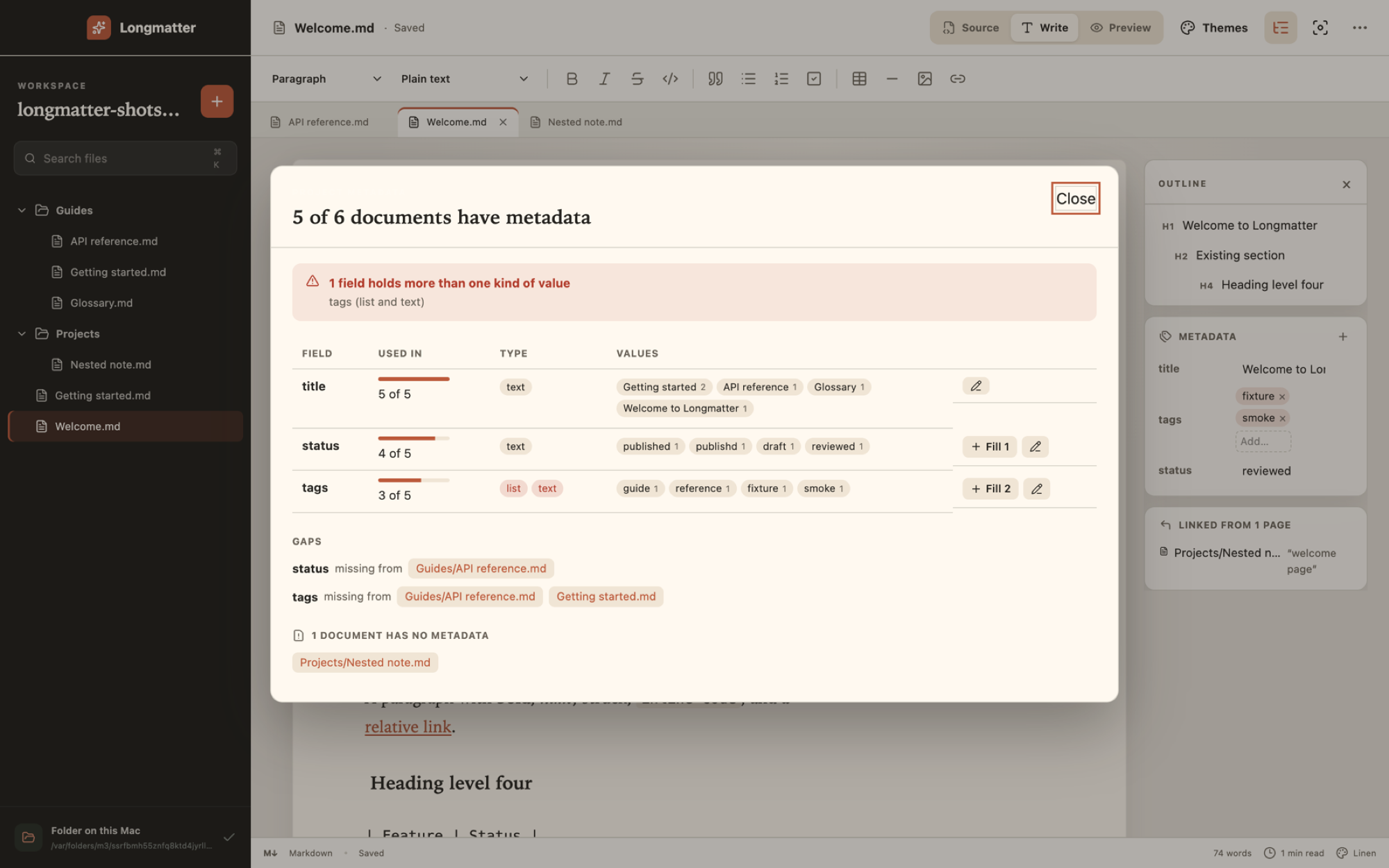
- One view lists every front matter key in the project, how widely it is used, and which pages are missing it.
- Front matter becomes typed fields, and comments, key order and quoting survive an edit.
- A size picker inserts a table, and controls for rows, columns and alignment appear when the caret is inside it.
Your work
It does not lose what you wrote.
-
A save cannot leave half a page
It is written to a temporary file, forced to disk and renamed over the page.
-
A change underneath you is never overwritten silently
If a page changes outside Longmatter, the save is refused and you choose which version to keep.
-
Closing waits for the last edit
The window does not close until what you typed has been written.
-
A failed save keeps trying
It retries with a backoff, and the page stays marked unsaved until it lands.
-
A crashed tab does not take the edit with it
Work that has not reached storage is kept in the browser and offered back.
For teams
Seats for the people who write. Reading is free.
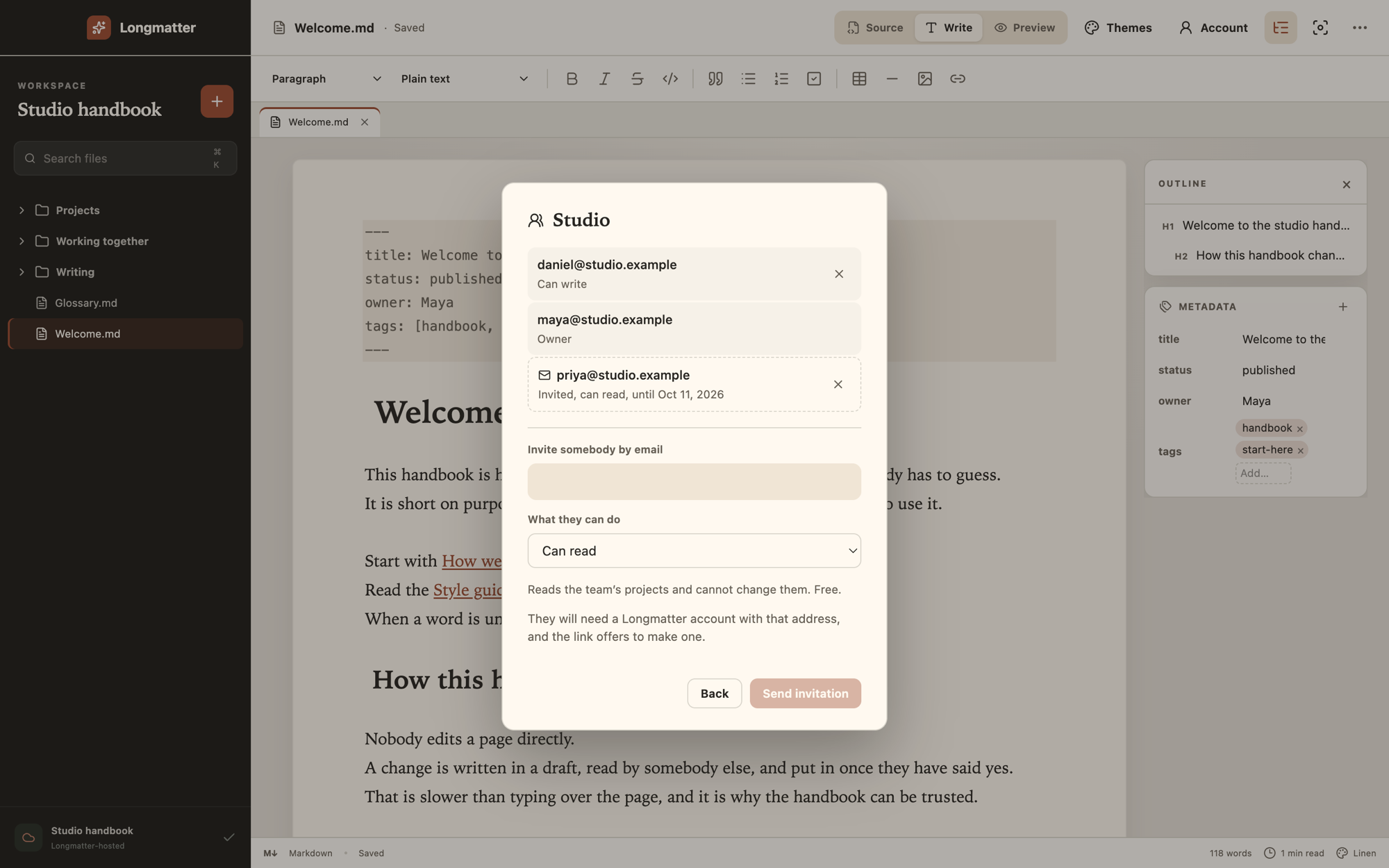
A team holds the seats for the people who write, and a reader is free. Take somebody off the team and their access to every project in it ends together.
You invite people by email, as writers or as readers.
Teams are opening to a first group, so ask us.
What it costs
Free to start. Pay for the part that has to be hosted.
There is no limit on projects and no cap on storage.
-
A folder on your computer
Free
Chrome and Edge
- Open a folder on your own computer. Nothing is uploaded.
- A free account stores nothing of yours.
-
Hosted projects
$8 a month, or $80 a year
Any browser, on any machine
- Opens in any browser, including Firefox and Safari.
- Drafts, comparison, review and history.
- If you stop paying, what you wrote stays and keeps saving.
-
Teams
Ask us
Opening to a first group
- Seats for the people who write.
- Readers are free.
What it does not do
Worth knowing before you spend an evening on it.
-
No export
You edit the Markdown in place, so there is nothing to export from.
-
No plugin system
It is a large surface and it belongs to somebody else's product.
-
No graph view
It demonstrates well and is rarely what anybody needs to get a page right.
-
No sync between a folder and a hosted project
It is hard to do and doing it badly loses writing.
Questions
What people ask first.
Where is my writing kept?
In a folder on your computer, if you open one in Chrome or Edge. Nothing is uploaded.
In a hosted project, Longmatter stores it. The privacy page lists what is stored and where.
What happens if I stop paying?
Everything already written stays and keeps saving. Only starting a new hosted project stops.
You can cancel from inside the app, on Stripe's own page.
Do I need Chrome?
A folder on your computer needs Chrome or Edge.
A hosted project opens in any browser, including Firefox and Safari.
Why do I need an account?
Longmatter asks for one for everything, including a folder on your own computer. A free account stores nothing of yours.
Can I take my writing with me?
It is plain Markdown, and what is saved is exactly the text you typed.
A hosted project has no download button yet. Write to hello@longmatter.com and the pages are sent to you.
Who can read my writing?
The people you invite to a hosted project can read it, as writers or as readers.
The privacy page says exactly what is stored and where.
What does a team cost?
A seat is for somebody who can write, and readers are free.
Teams are opening to a first group, so ask us.
Where do I ask something else?
Answers are published at support.
Or write to hello@longmatter.com.